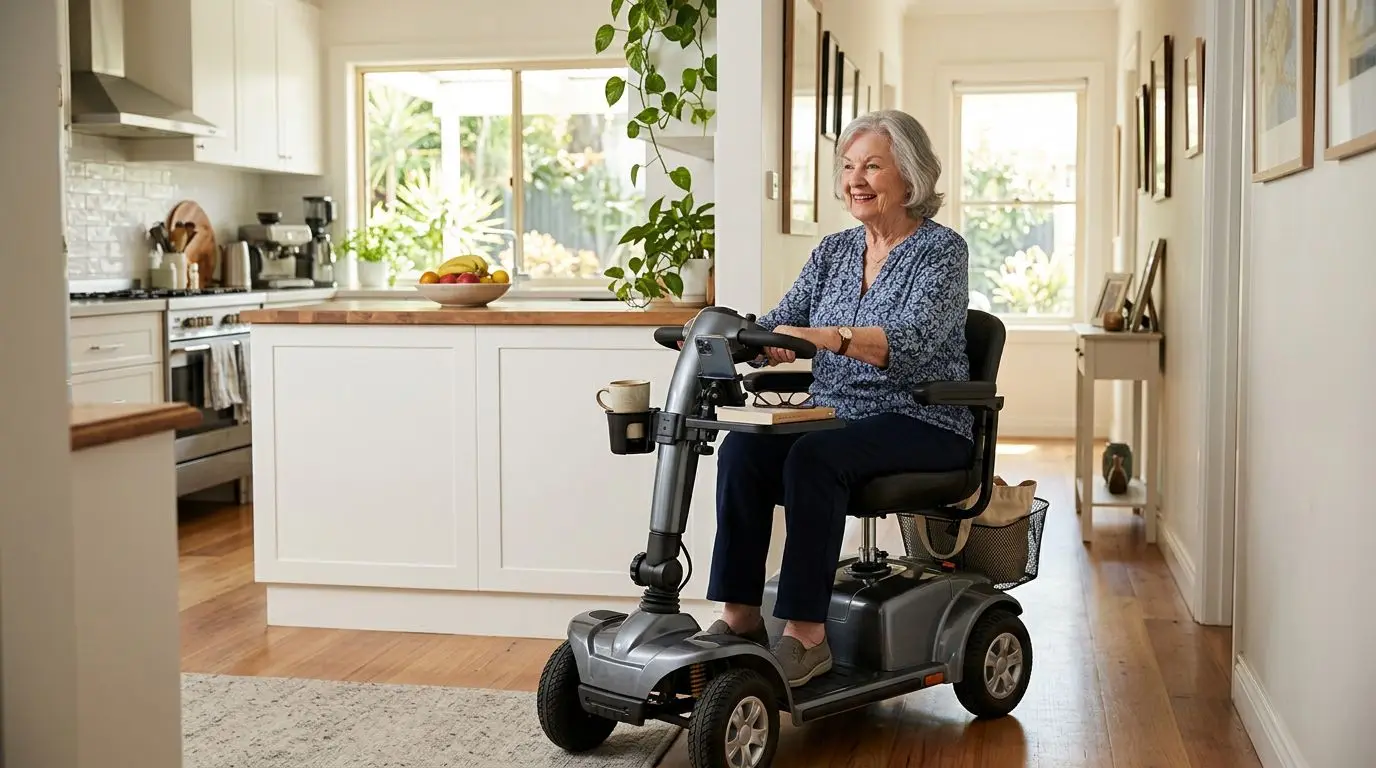
Mobility scooter cup holders, trays, and phone mounts can make daily trips easier, but they should never limit steering, cover the controls, or make the scooter feel top-heavy. The safest add-ons attach securely to the tiller or armrest, leave enough hand clearance for turns, and hold only light items within the scooter’s normal weight limits.
These accessories help with small, everyday tasks: carrying a drink, keeping a phone visible for directions, or moving a snack from one room to another. The key is choosing the right mounting style and placing it where it will not interfere with braking, throttle control, or your ability to get on and off the scooter.
Why small scooter accessories matter on a 3 to 5 mile daily routine
A cup holder, tray, or phone mount may seem minor until you use a scooter for several short trips each day. A person might ride 200 feet to the mailbox, 500 feet through a grocery store, or 2 miles around a retirement community. On those trips, loose items in a lap can slide, spill, or distract from steering.
Convenience accessories work best when they reduce reaching. A properly placed cup holder can keep a covered drink upright instead of wedged beside the seat. A stable tray can help carry mail, reading glasses, or a small meal across a room. A phone mount can hold a screen at a glanceable angle, which helps with route guidance before you start moving and keeps the phone from falling to the floor.
The safety line is simple. An accessory should support the ride, not become part of the driving task. If you have to steer around it, grip the throttle awkwardly, or lean to see past it, the accessory is in the wrong position or the wrong size.
Common accessory types and where they usually mount, with 1 inch to 1.25 inch clamps
Most daily-use scooter accessories attach to the tiller, armrest tubing, seat post area, or basket frame. The tiller is popular because it is easy to reach, but it is also where clearance matters most. Many clamps are designed for round tubing in the general range of 1 inch to 1.25 inches in diameter, though scooter shapes vary widely. Some tillers are oval, tapered, padded, or covered by plastic shrouds, so measuring is always better than guessing.
| Accessory type | Typical mounting area | Best use | Main fit concern |
|---|---|---|---|
| Cup holder | Tiller, armrest, basket edge | Covered drink bottle or travel mug | Clearance during full left and right turns |
| Small tray | Armrests, front tiller area, seat arms | Mail, snacks, medications in original containers, glasses | Weight limit and knee clearance |
| Phone mount | Tiller or handlebar-style grip | Phone storage, parked use, route checking | Screen placement without blocking controls |
| Basket add-on holder | Front or rear basket rail | Light personal items | Item movement over bumps |
Cup holders come in rigid, flexible, and basket-style designs. Rigid styles often feel stable but need a good clamp match. Flexible styles may fit more shapes but can bounce if overloaded. Basket-style holders allow different bottle sizes, though they may rattle on uneven pavement.
Trays need more caution because they create a larger surface. A tray that is 9 inches by 12 inches may be convenient indoors, while a wider tray can get in the way in narrow doorways or when pulling close to a table. Phone mounts need a secure grip on both the phone and the scooter, but they should not encourage active phone use while riding.
Who these add-ons are best for, including riders carrying under 5 pounds
These accessories are best for riders who carry light, predictable items and can still operate the scooter with both hands available when needed. A covered 16 to 24 ounce drink, a phone, keys, mail, or a light snack are reasonable examples. A tray should not become a substitute for a shopping cart or walker basket.
Cup holders are especially useful for people who take medication with water during the day, spend time outdoors, or attend appointments where a drink bottle is helpful. They are also practical for indoor scooter users who move between a kitchen, living room, and bedroom.
Trays are best for short, level, low-speed movement. Think carrying a sandwich 20 feet from the kitchen counter to a table, not hauling a heavy casserole across a threshold. They can be very helpful inside the home, but they should be removed or folded away if they make turning through doorways harder.
Phone mounts are best for riders who want a consistent place to keep a phone so it is not in a pocket, lap, or bag. They are useful for visibility when parked, emergency access, or checking directions before departure. While riding, the screen should not be treated like a car dashboard. Stop in a safe place before tapping, reading messages, or changing settings.
How to measure clamp fit and tiller clearance in 5 minutes
Before buying any clamp-on accessory, take 5 minutes to measure the scooter and simulate the space the accessory will occupy. You do not need special tools. A flexible tape measure, a strip of paper, and a ruler will handle most checks.
- Measure tube diameter. Wrap paper around the mounting point, mark the overlap, then measure the paper length. Divide that circumference by 3.14 to estimate diameter. A 3.5 inch circumference is about a 1.1 inch diameter.
- Check shape. Round tubing grips better than oval, tapered, or padded surfaces. If the tiller is covered by molded plastic, a clamp may not sit flat.
- Turn lock to lock. With the scooter powered off, turn the tiller fully left and fully right. Hold a mug, small box, or phone where the accessory would sit and watch for contact with your knees, basket, seat, armrest, or control panel.
- Allow hand space. Leave at least 2 inches around the throttle lever, key area, horn, speed dial, and brake release if present. More is better if you have reduced hand strength or wear gloves.
- Test transfers. Sit down and stand up as you normally would. The accessory should not catch clothing, a cane strap, oxygen tubing, or a bag handle.
If the scooter has a delta tiller, wraparound handle, or center controls, placement can be trickier. The inside curve may look convenient, but it is often exactly where your hands need to pass during tight turns.
Cup holders: stable drinks without blocking a 90 degree turn
A good scooter cup holder keeps a drink upright through ordinary starts, stops, and turns. It should not hold an open cup on rough sidewalks, steep ramps, or curb cuts. A covered bottle or lidded travel mug is safer because even a 12 ounce spill can make a floor slippery and distract the rider.
Placement matters more than capacity. If a cup holder sits on the outside of the tiller, it may swing wide during a 90 degree turn in a hallway or store aisle. If it sits too far inward, it can bump your wrist or block the throttle. Many riders do best with the holder mounted low enough to avoid the controls but high enough that the drink does not hit their knees.
| Cup holder feature | Why it helps | What to watch |
|---|---|---|
| Adjustable clamp | Fits more tube diameters | May slip on tapered plastic |
| Rubber insert or padding | Reduces vibration and clamp marks | Can compress over time |
| Deep cup well | Improves stability for taller bottles | May not fit wide mugs |
| Drain opening | Lets rain or condensation escape | Does not prevent spills |
| Quick-release design | Easy removal for transport | Must latch firmly before riding |
Do not mount a cup holder where it blocks the view of the battery indicator or speed control. That small inconvenience can become a real problem if you need to slow down quickly in a crowded aisle.
Trays: useful surfaces, but keep loads near 2 to 5 pounds
Trays offer the most carrying area, which also makes them the easiest accessory to overload. Many scooter trays are intended for light use, often in the range of a few pounds rather than heavy groceries. Even when a tray seems physically strong, the scooter’s stability and steering are still the limiting factors.
The safest tray is small, level, and easy to remove. A raised edge of about half an inch can help keep items from sliding, but it will not secure a full plate on a bump. Non-slip mats help with glasses, remote controls, and mail. They do not make it safe to carry hot liquids over uneven surfaces.
Tray location changes how the scooter feels. A tray mounted forward of the tiller can affect steering clearance and make the front feel more cluttered. A lap-style tray may be convenient indoors but can complicate transfers if it is not removed first. Armrest-mounted trays need both arms adjusted evenly, or the tray may tilt.
Keep the load close to the center of the scooter. A 3 pound object at the far front of a tray can bounce more than the same object near the seat. Avoid tall stacks, sharp utensils, glass containers, or anything that could roll under the controls. When in doubt, make two trips.
Phone mounts: visible at a glance, not used while moving at 4 mph
Many mobility scooters travel around walking speed, often up to about 4 mph on standard pedestrian routes, with some scooters capable of higher speeds depending on their type and settings. At any speed, looking down for several seconds is long enough to miss a doorway edge, curb cut, pet, or person crossing your path. A phone mount should hold the device securely, not invite multitasking.
Choose a mount that grips the phone on at least two sides and does not constantly press side buttons. If you use a thick case, wallet case, or pop-out grip, measure the phone with the case installed. A mount that fits the bare phone may not hold the real phone you carry.
Position the screen below your main sightline and away from the speed control, throttle, horn, and lights. You should be able to see ahead naturally. The best use pattern is simple: set your route or call before you start, ride with both hands available, then stop safely before touching the phone again.
Charging cables deserve attention too. A loose 3 foot cord can catch on the tiller, armrest, or a bag. If you use a power bank, secure it in a pouch or basket and route the cable so it cannot pull the phone during turns.
Clearance and steering checks before the first 10 minute ride
After installing any accessory, do a short stationary check, then take a slow 10 minute test ride in a familiar area. This step catches problems before they show up in a store, parking lot, or medical office hallway.
- Power off first. Turn the tiller fully left and right and confirm nothing touches the accessory.
- Check knees and elbows. Sit in your normal posture. Move your hands to every control you use, including the horn and speed dial.
- Practice a doorway turn. If your home has a 30 to 36 inch doorway, use it as a realistic clearance test.
- Try a gentle stop. The item should not slide, tip, or swing forward.
- Listen for rattles. Rattling may mean the clamp is loose or the accessory is bouncing against the tiller.
- Recheck after riding. Tighten by hand if the design allows, but do not overtighten plastic parts.
If an add-on changes how you hold the tiller, remove it and try a different location. Your normal steering grip is not negotiable.
Feature comparison: choosing between convenience and control with 2 hands available
The best accessory is the one that lets you keep control of the scooter. For most riders, that means both hands can reach the tiller quickly, even if one hand briefly adjusts a sleeve, presses a horn, or steadies a light item while stopped.
| Decision point | Better choice | Riskier choice |
|---|---|---|
| Mounting surface | Round, solid tube with full clamp contact | Curved plastic shroud or padded area |
| Accessory weight | Lightweight holder or tray | Heavy metal add-on on the front tiller |
| Item carried | Lidded drink, phone, mail, keys | Open hot drink, glass bowl, heavy groceries |
| Placement | Clear of controls and knees | Over throttle, speed dial, or transfer path |
| Removal | Quick to remove for transport or tight spaces | Permanent clutter that limits turns |
| Use while moving | Hands on controls, phone untouched | Texting, reading, or reaching across the tiller |
Convenience should feel boring. If the holder draws your attention every few seconds, wobbles, blocks a control, or makes you nervous in a tight turn, it is not the right setup.
Installation tips for clamps, straps, and quick releases in under 15 minutes
Most simple add-ons can be installed in under 15 minutes, but slow and careful is better than fast. Start with the scooter parked on level ground, powered off, and with the key removed. If the accessory has multiple spacers or rubber pads, test the fit before tightening anything fully.
Use protective padding when possible. Rubber inserts improve grip and reduce scratches, especially on painted metal tubing. Be cautious on plastic tiller covers. A clamp that seems secure at first may slide because plastic panels are often curved and not designed as load-bearing attachment points.
Tighten evenly. If one side of a clamp is fully tightened while the other side is loose, the accessory can sit crooked and work itself free. After the first ride, check again. Vibration can settle pads and hardware.
Quick-release parts should click, lock, or seat firmly every time. If a tray or holder lifts out easily when you pull upward, it may also lift during transport or over a threshold. Remove detachable accessories before loading the scooter into a vehicle unless the scooter manual clearly allows them to remain installed.
Safety habits for everyday use, including ramps under 1:12 slope
Accessories do not change the basic rules of scooter safety. Keep speed low in crowds, approach thresholds straight when possible, and avoid sudden turns with items mounted on the tiller. A common accessibility ramp guideline is a 1:12 slope, meaning 1 inch of rise for 12 inches of run, but real-world ramps vary. Loose items become less stable as the angle increases.
Use lids. Secure phones. Remove trays before transfers if they are in the way. Do not hang heavy bags from a cup holder, phone mount, or tray bracket. That can pull the scooter off balance or damage the accessory.
Weather matters. Rain can make cup holders slick, trays wet, and phone screens harder to use. Bright sun can overheat a phone in a dark mount. Cold weather can make some plastics more brittle, so avoid forcing clamps when temperatures drop near freezing.
If you use oxygen, a cane, a service animal leash, or medical tubing, test carefully for snag points. A safe setup leaves those items routed exactly as intended, with no crossing over the tiller or throttle area.
When to skip an accessory or choose a different mounting point after 1 failed test
If an accessory fails the first practical test, do not try to make it work by changing how you drive. Skip it, return it if possible, or move it to a safer mounting point. One failed test is enough if the issue involves blocked controls, reduced steering, or unsafe transfers.
Skip a tiller-mounted cup holder if the scooter has very compact controls or if your knees already come close to the tiller during turns. Try an armrest or basket location instead, as long as the item stays secure and does not widen the scooter too much.
Skip a tray if your main routes involve tight doorways, uneven outdoor paths, or frequent ramps. A small basket, pouch, or backpack on the seat back may be safer for carrying light items. Avoid any accessory that encourages overloading beyond the scooter’s stated weight capacity, which includes the rider, personal items, and add-ons.
Skip a phone mount if it blocks your view or makes you tempted to interact with the screen while riding. A secure pocket, basket pouch, or lanyard may be a better choice for some riders.
FAQ: 5 common questions about scooter cup holders, trays, and phone mounts
Can I put a cup holder on any mobility scooter?
Not always. Many cup holders need a round mounting point around 1 inch to 1.25 inches in diameter, but some scooter tillers are plastic, oval, or too crowded. Measure first and check steering clearance before riding.
Is it safe to use a tray on a mobility scooter?
A tray can be safe for light indoor use when it does not block transfers, controls, or steering. Keep loads low, stable, and close to the center. Avoid hot open drinks, heavy groceries, or tall items that can tip.
Where should a phone mount go on a scooter?
Place it where the phone is secure but does not cover the throttle, horn, speed dial, key, or battery indicator. The screen should not block your forward view. Stop the scooter before touching the phone.
How much clearance should I leave around the controls?
Leave at least 2 inches around frequently used controls, and more if you have limited hand motion or wear gloves. You should be able to steer fully left and right without touching the accessory.
Can accessories affect scooter stability?
Yes. Heavy items, tall drinks, forward-mounted trays, and swinging bags can affect balance and steering feel. Keep accessories light and avoid adding weight high or far from the scooter’s center.
Frequently asked questions
Can I put a cup holder on any mobility scooter? +
Not always. Many cup holders need a round mounting point around 1 inch to 1.25 inches in diameter, but some scooter tillers are plastic, oval, or too crowded. Measure first and check steering clearance before riding.
Is it safe to use a tray on a mobility scooter? +
A tray can be safe for light indoor use when it does not block transfers, controls, or steering. Keep loads low, stable, and close to the center, and avoid hot open drinks or heavy groceries.
Where should a phone mount go on a mobility scooter? +
Place it where the phone is secure but does not cover the throttle, horn, speed dial, key, or battery indicator. The screen should not block your forward view, and you should stop before touching the phone.
How much clearance should I leave around scooter controls? +
Leave at least 2 inches around frequently used controls, and more if you have limited hand motion or wear gloves. You should be able to steer fully left and right without touching the accessory.
Can scooter accessories affect stability? +
Yes. Heavy items, tall drinks, forward-mounted trays, and swinging bags can affect balance and steering feel. Keep accessories light and avoid adding weight high or far from the scooter’s center.
Related guides
Best Mobility Scooter Accessories for Safety, Storage, and Everyday Comfort
13 min read
Mobility Scooter Attachments for Errands and Independence
15 min read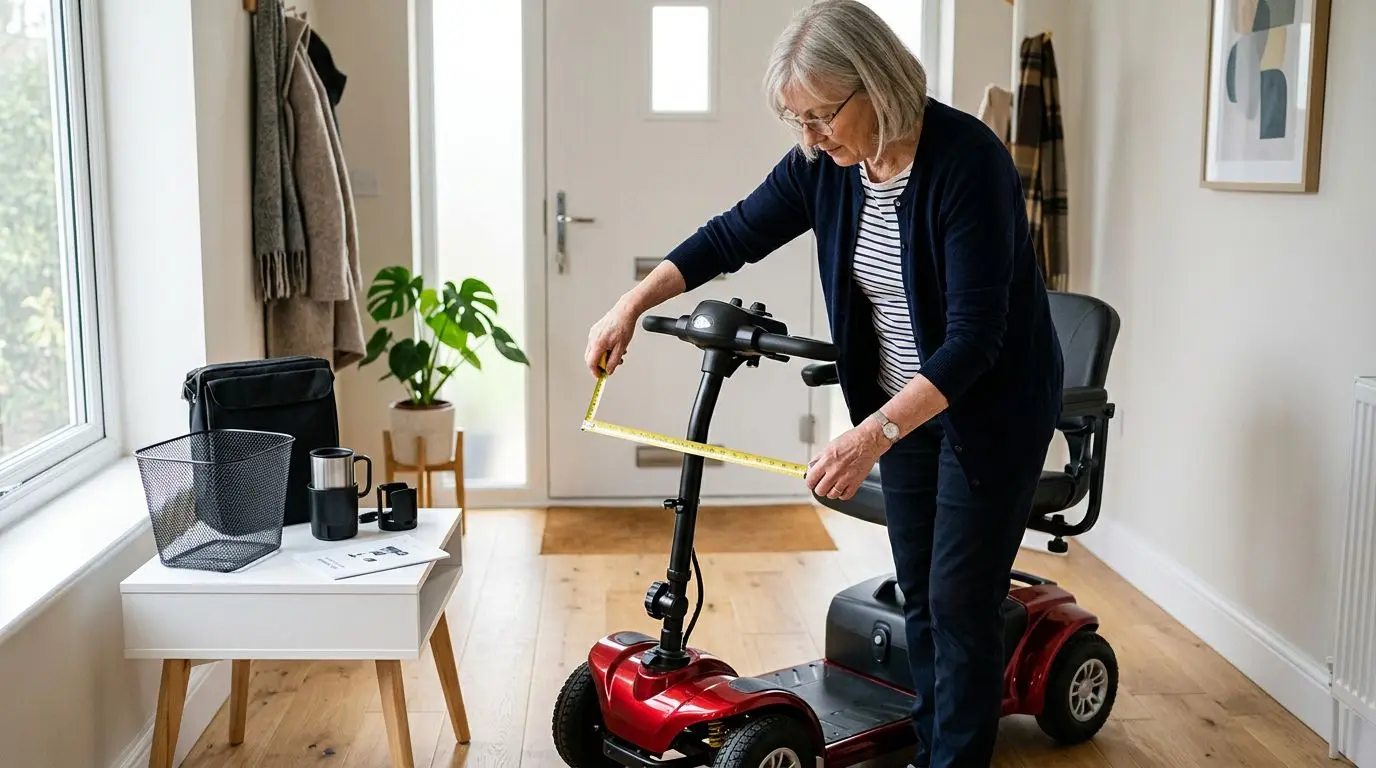
How to Choose Mobility Scooter Accessories That Actually Fit: Universal vs. Scooter-Specific Add-Ons
13 min read